If you’re working with STM32 or ARM Cortex MCUs, you already know this:
👉 Debugging is where most of your time gets wasted.
Cheap programmers fail, unstable connections break your workflow, and sometimes your firmware just refuses to behave.
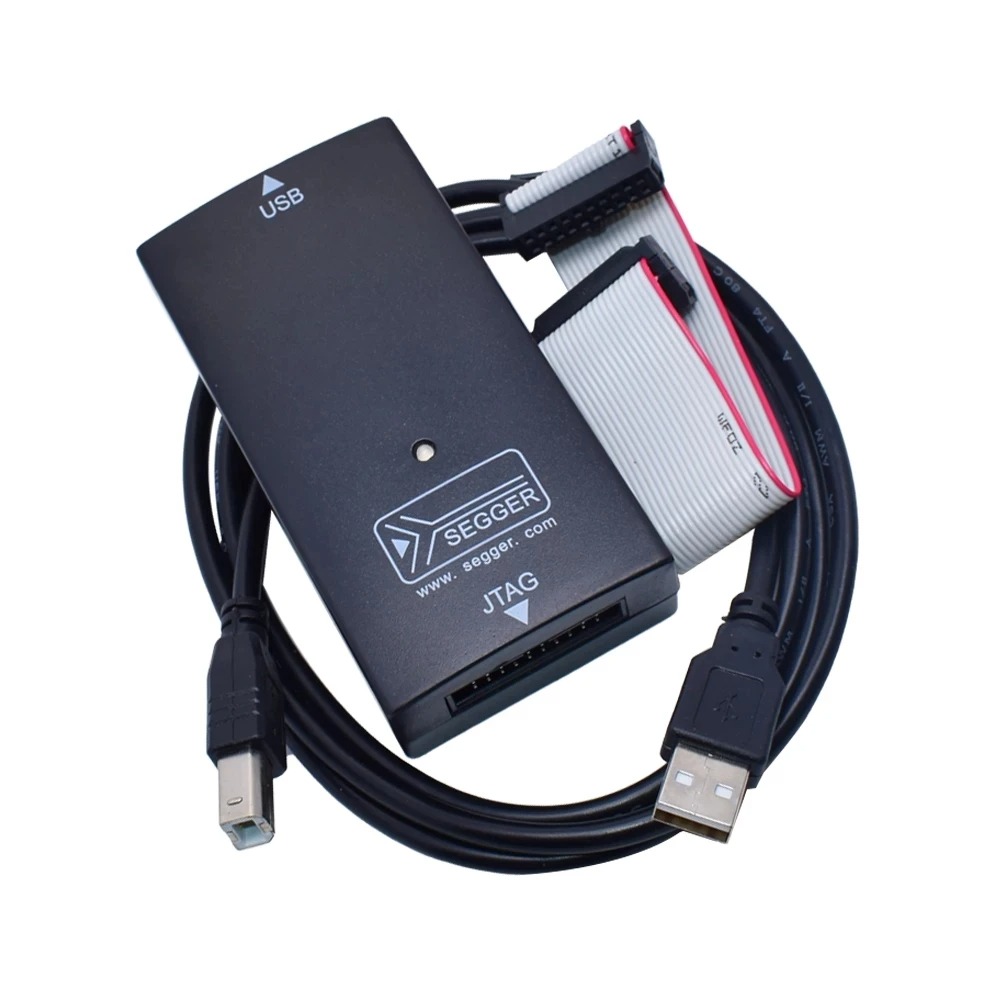
That’s where a J-Link debugger comes in — and this High Speed J-Link V8 USB JTAG Debugger for STM32 is one of the most popular low-cost options available.
But the real question is:
👉 Is this $10 debugger actually usable for real projects?
Let’s break it down.
Table of Contents
⚡ Quick Verdict (Don’t Want to Read Everything?)
- 🏆 Best for: STM32 beginners & intermediate developers
- 💰 Value: Extremely high for the price
- ⚠️ Not for: Professional production-level debugging
👉 Check Price Here: (your affiliate link)
🧠 What is J-Link V8 Debugger?
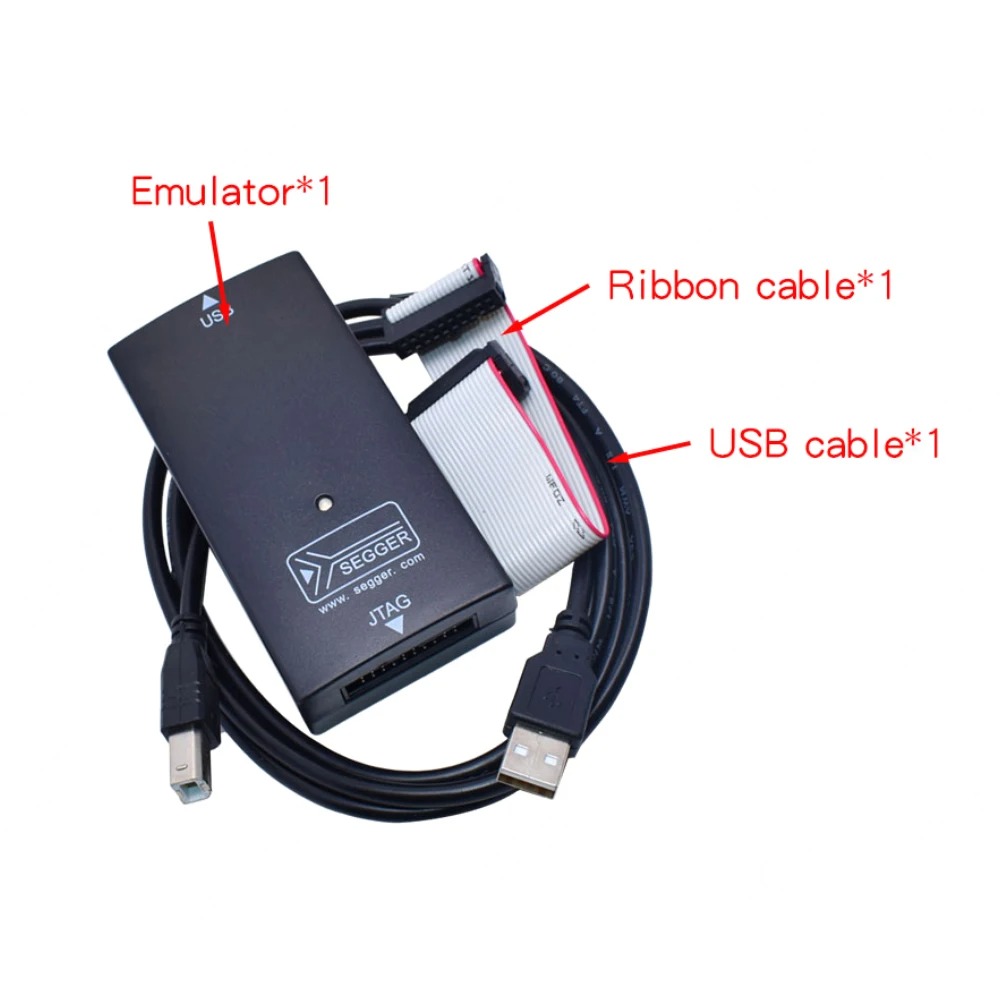
The J-Link V8 is a USB JTAG/SWD debugger used for:
- Programming STM32 MCUs
- Real-time debugging
- Flashing firmware
- Breakpoints & step execution
It works with:
- STM32 (most series)
- ARM Cortex-M MCUs
- Keil, IAR, STM32CubeIDE
🔍 Key Features
- ✔️ Supports JTAG & SWD interface
- ✔️ Compatible with STM32CubeIDE / Keil
- ✔️ Faster than ST-Link clones in many cases
- ✔️ Stable connection (compared to cheap programmers)
- ✔️ Plug & play USB interface
🧪 My Technical Take (Important)
At this price point (~$9–$10), this is NOT an original SEGGER J-Link.
👉 It’s a clone.
But here’s the reality:
- Many engineers use these for non-commercial projects
- Works fine for basic debugging & flashing
- Performance is acceptable for most STM32 work
✅ Where It Works Well
- Learning STM32
- Personal projects
- IoT prototyping
- Lab testing
- Firmware debugging
❌ Limitations You Should Know
- ⚠️ Firmware updates can break compatibility
- ⚠️ Not suitable for commercial/industrial use
- ⚠️ May not support the latest SEGGER tools officially
- ⚠️ Build quality varies by seller
👉 This is important — don’t expect original J-Link performance
🔧 Real Use Case (Practical Scenario)
If you’re developing:
- STM32-based IoT data logger
- Sensor interface system
- Embedded control firmware
This debugger can:
- Flash your MCU quickly
- Help you debug code step-by-step
- Save hours of frustration
🆚 J-Link V8 vs ST-Link (Quick Comparison)
| Feature | J-Link V8 Clone | ST-Link Clone |
|---|---|---|
| Speed | Faster | Moderate |
| Stability | Good | Sometimes unstable |
| Debugging | Better | Basic |
| Price | Slightly higher | Cheaper |
👉 If budget allows → J-Link is the better experience
🚫 Common Mistakes to Avoid
- ❌ Don’t update firmware blindly
- ❌ Don’t expect official SEGGER support
- ❌ Avoid ultra-cheap sellers with no reviews
👉 Always choose:
- ⭐ 4.7+ rating
- 📦 500+ orders
🎯 Who Should Buy This?
✅ Buy it if:
- You are learning STM32
- You need a cheap debugger
- You want better performance than a ST-Link clone
❌ Skip it if:
- You are doing commercial/industrial development
- You need guaranteed reliability
- You want official SEGGER support
🏁 Final Recommendation
For the price, this J-Link V8 debugger is a solid tool for:
👉 Students
👉 Hobbyists
👉 Embedded developers on a budget
If you understand its limitations, it can be a very useful addition to your lab.
Read more:
- Best Microscopes for Electronics Work (Low to Medium Budget Guide)
- 10 High-End Electronics & Industrial Tools Every Serious Engineer Should Know About
- 10 Useful DIY Electronics Tools and Accessories Under $20
Liked this article? Subscribe to our newsletter:
or,
Visit LabProjectsBD.com for more inspiring projects and tutorials.
Thank you!



0 Comments