Self-balancing robots are one of the best hands-on projects for learning robotics, PID control, sensors, motor drivers, and embedded programming.
Unlike simple obstacle robots, balancing robots actively maintain upright stability using real-time feedback from sensors like the MPU6050 gyroscope and accelerometer.
That makes them excellent for:
- Engineering students
- Arduino learners
- Robotics hobbyists
- Control system practice
- STEM education labs
If you want to learn practical robotics, these are some of the best self-balancing robot kits worth considering in 2026.
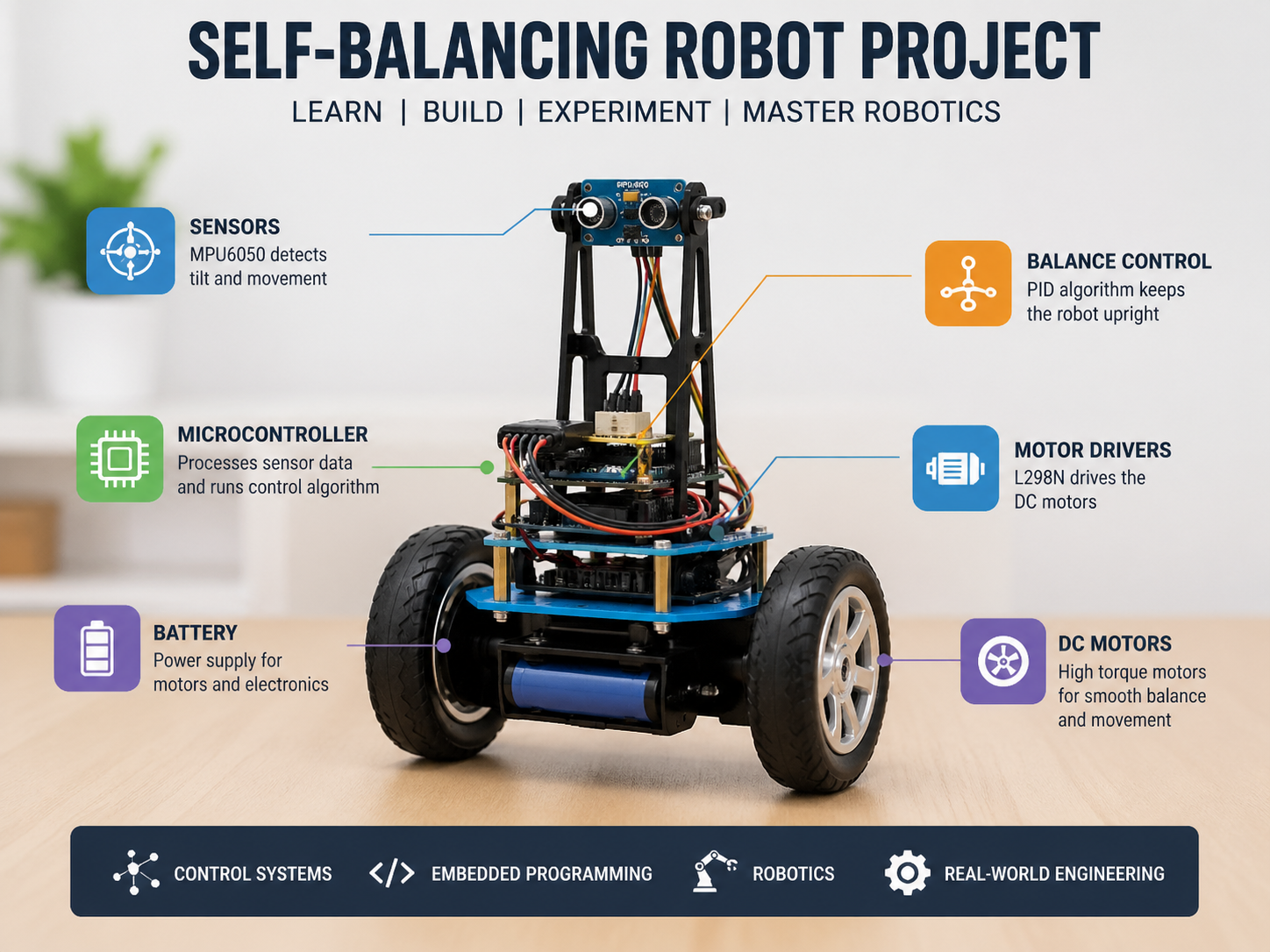
Table of Contents
Why Self-Balancing Robots Are Valuable
These robots teach multiple engineering topics at once:
✅ Sensor fusion
✅ PID tuning
✅ Motor control
✅ Real-time firmware
✅ Mechanical balance dynamics
✅ Power management
Few beginner projects offer this much learning value.
1. Arduino Self-Balancing Robot Kit ⭐⭐⭐⭐⭐
Best for Beginners Starting Robotics & Control Systems
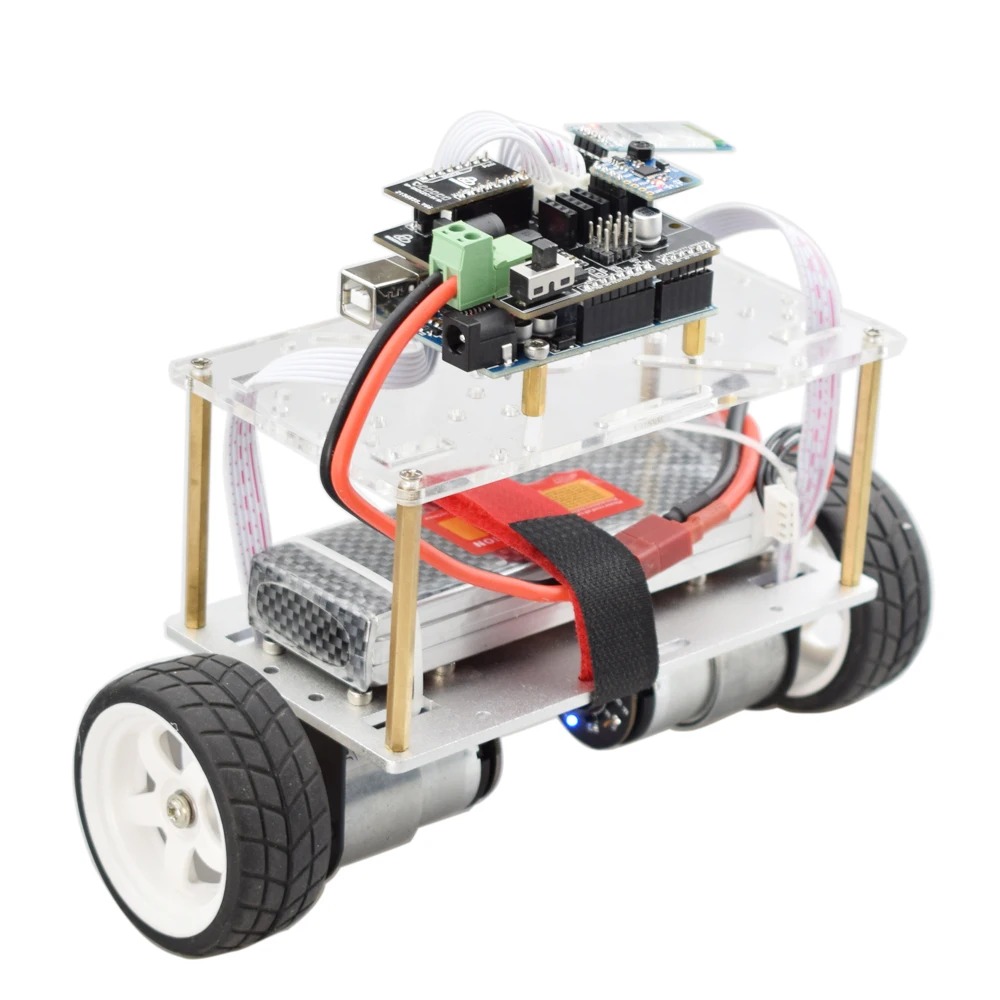
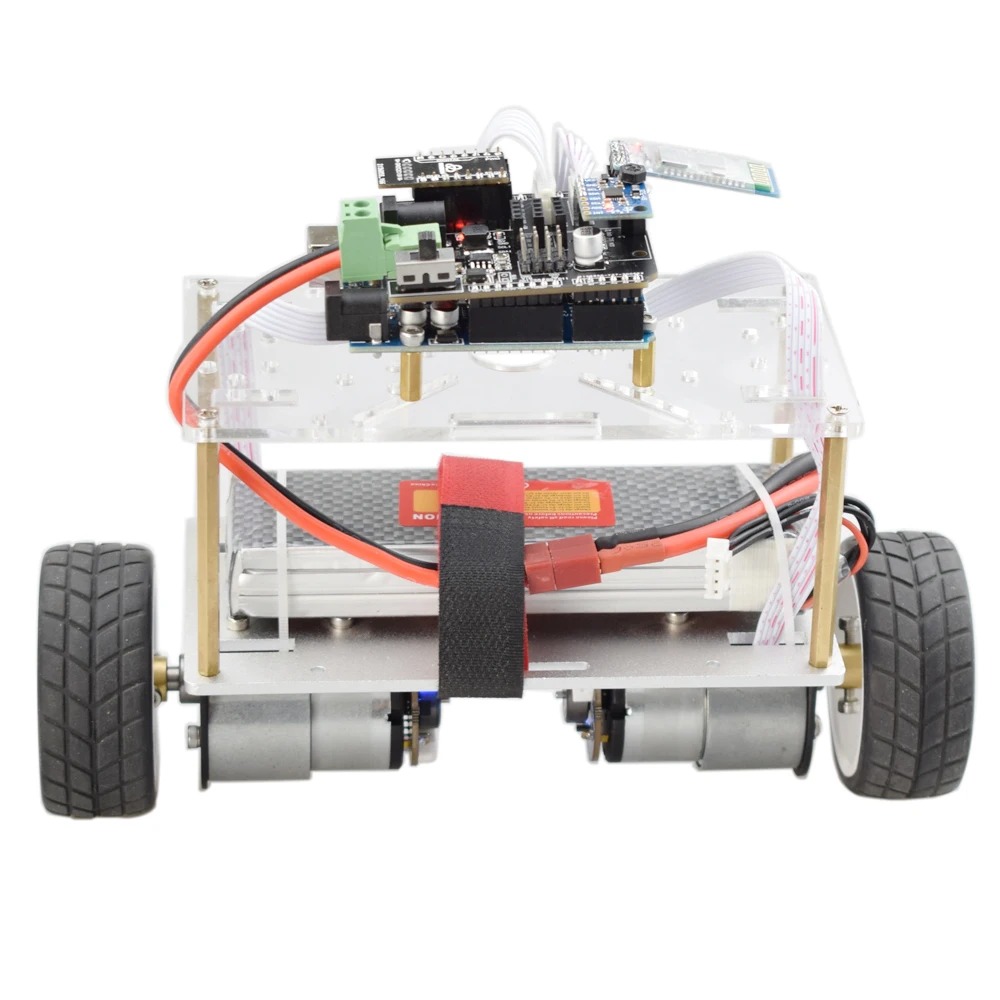
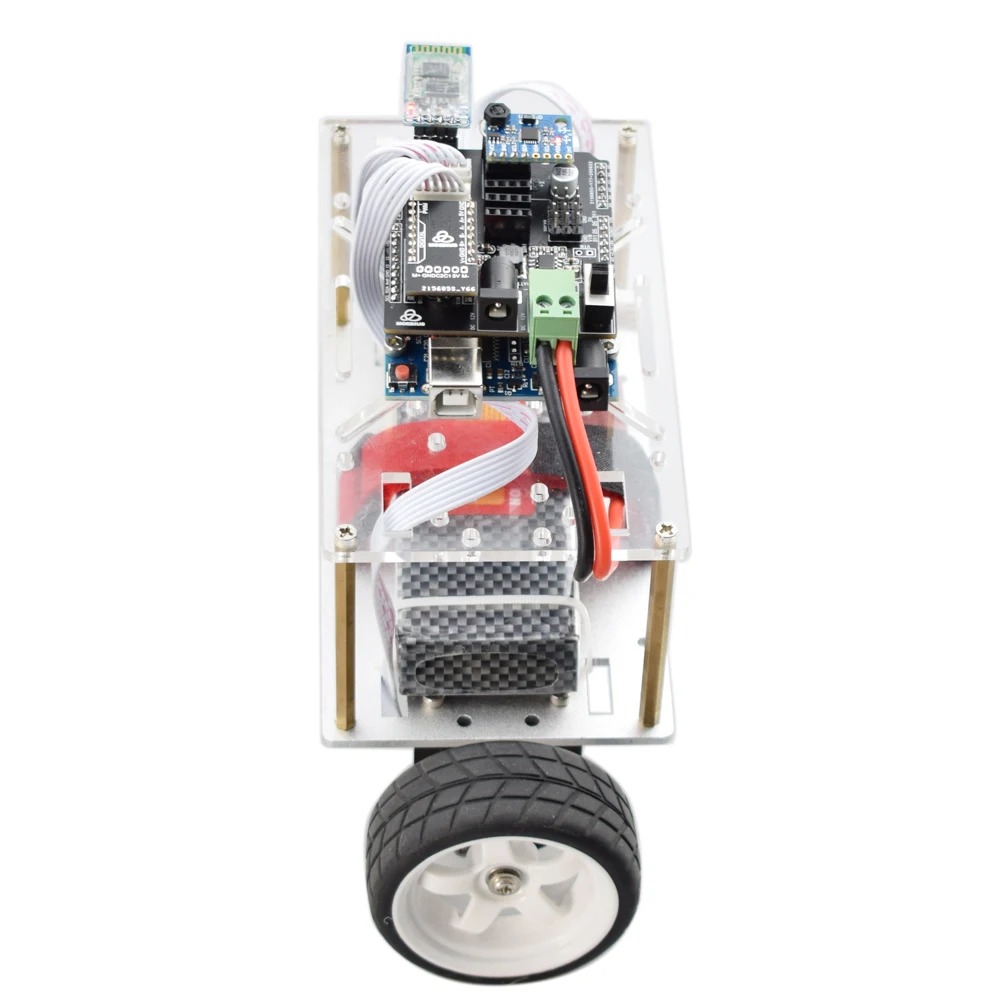
If you’re new to robotics, the Arduino Self-Balancing Robot Kit is one of the smartest places to start. It combines mechanics, electronics, sensors, and coding into one exciting project.
Most kits are designed for easy assembly and come with plenty of online tutorials, making them ideal for students and first-time makers.
💰 Typical Price Range
$25 – $65 depending on included parts, build quality, and whether the controller board is genuine or compatible.
📦 Usually Includes
✅ Arduino-compatible board
✅ Dual DC gear motors
✅ Wheels + balancing chassis
✅ Motor driver module
✅ MPU6050 gyro/accelerometer sensor
✅ Battery holder or rechargeable pack
✅ Mounting hardware & cables
⭐ Why We Selected This Kit
⭐ 5/5 Beginner Friendly – Easy to learn and huge online support
⭐ 5/5 Learning Value – Teaches coding + electronics + control systems
⭐ 4/5 Upgrade Potential – Can later add Bluetooth, OLED, WiFi, encoders
⭐ 4/5 Budget Value – Affordable compared to advanced robot kits
⭐ 5/5 Community Support – Thousands of Arduino examples available
🚀 Why Buy It
✅ Massive Arduino community support
✅ Easy example code available online
✅ Great first PID balancing project
✅ Excellent STEM/engineering student project
✅ Builds confidence fast
⚠️ Keep in Mind
Some cheap kits may require tuning, calibration, and debugging. That’s normal—and part of the learning process.
🔧 My Verdict
If you are starting robotics with a limited budget, this is the lowest-risk, high-value entry point. You learn practical embedded systems while building something impressive.
2. MPU6050 Self-Balancing Robot Kit ⭐⭐⭐⭐⭐
Best for Learning Sensors, PID Control & Real Robotics Feedback Systems
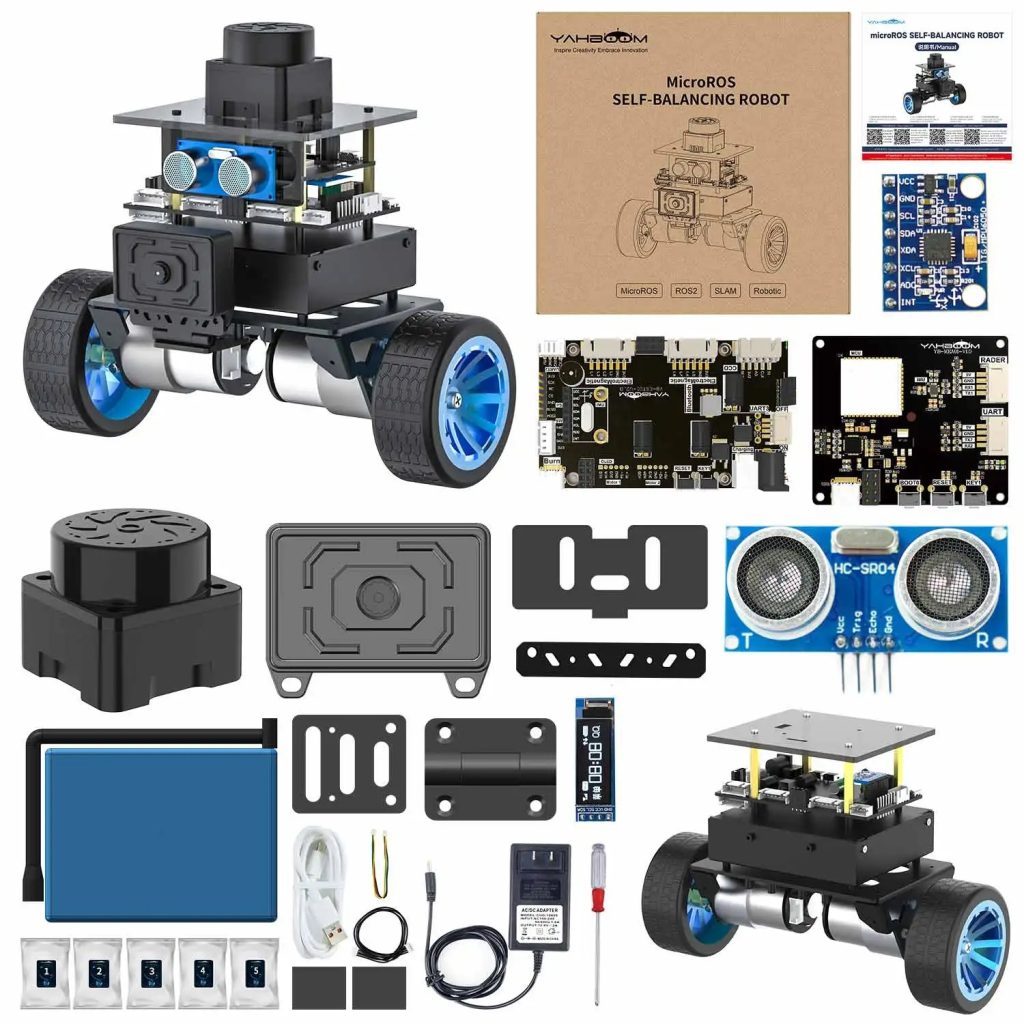
If you want to understand how balancing robots actually stay upright, the MPU6050 Self-Balancing Robot Kit is one of the best hands-on projects to build.
Unlike basic robot kits, this type uses the MPU6050 motion sensor, which combines a 3-axis gyroscope + 3-axis accelerometer in one compact module. It continuously measures tilt, angle changes, and movement so the robot can react in real time and maintain balance.
This makes it a fantastic project for students and makers who want to go beyond simple assembly and learn real control systems.
💰 Typical Price Range
$28 – $75 depending on controller board, chassis quality, motors, battery pack, and included accessories.
📦 Usually Includes
✅ Arduino / ESP32 compatible controller board
✅ MPU6050 IMU sensor module
✅ Dual DC geared motors
✅ Wheels + balancing chassis
✅ Motor driver board
✅ Battery holder / rechargeable battery pack
✅ Wires, hardware, brackets
⭐ Why We Selected This Kit
⭐ 5/5 Sensor Learning Value – Excellent intro to IMU sensors
⭐ 5/5 Control System Practice – Great for PID tuning and feedback loops
⭐ 4/5 Expandability – Easy to add Bluetooth, OLED, WiFi later
⭐ 4/5 Community Support – Huge Arduino robotics ecosystem
⭐ 5/5 Engineering Depth – More educational than simple toy robot kits
🚀 Why It’s Useful
✅ Accurate tilt and motion sensing
✅ Learn IMU sensor integration
✅ Helps understand PID control algorithms
✅ Widely used in robotics projects
✅ Real-time data processing experience
✅ Great stepping stone to drones and advanced robots
⚠️ Keep in Mind
To get a stable balancing performance, you may need:
- PID tuning
- Sensor calibration
- Good battery voltage
- Proper motor alignment
That challenge is part of the real learning process.
🔧 My Verdict
If your goal is to learn how robots sense motion and self-correct, this is one of the highest-value beginner-to-intermediate robotics projects you can build.
The MPU6050 remains one of the most common and proven sensors for balancing robots for a reason.
3. Bluetooth Controlled Self-Balancing Robot ⭐⭐⭐⭐⭐
Best for Smartphone Control, Wireless Learning & Interactive Robotics
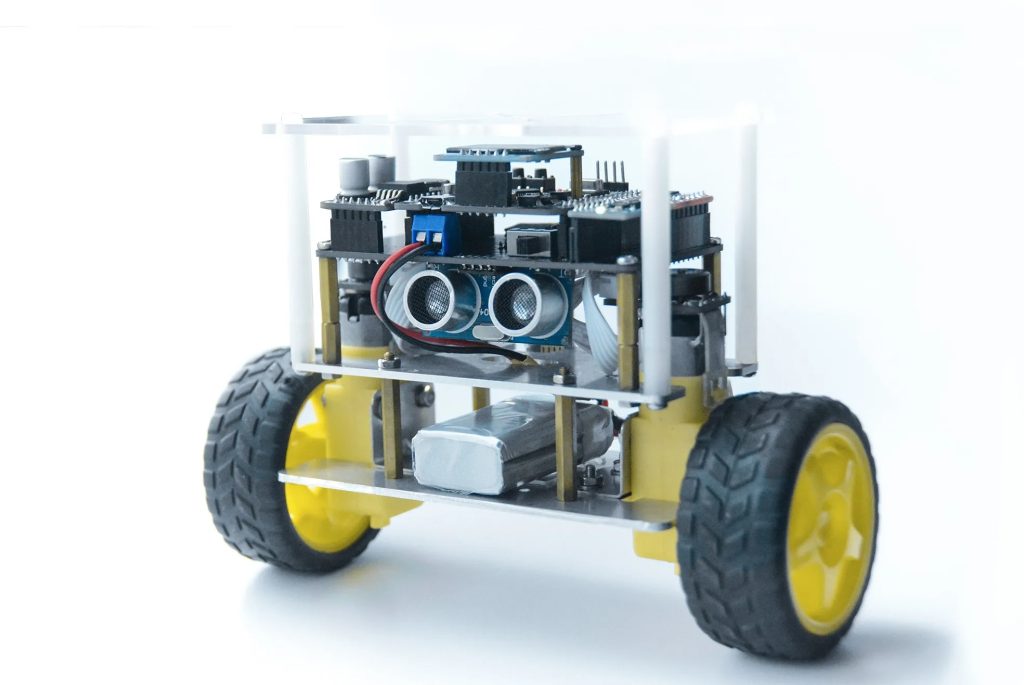
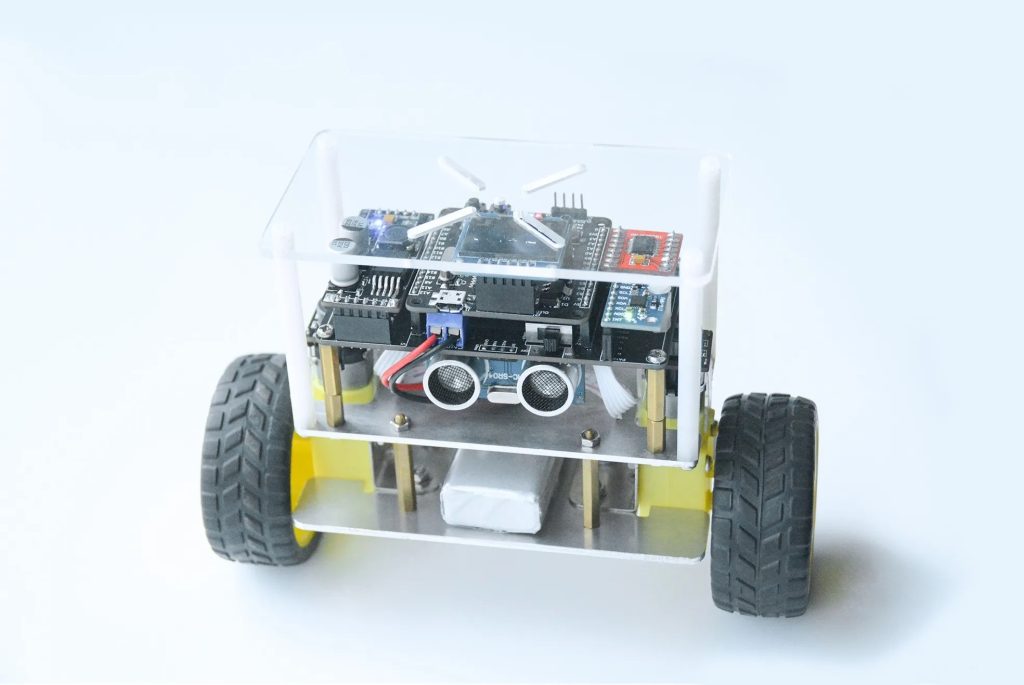
If you want a robot project that feels more exciting and modern, the Bluetooth Controlled Self-Balancing Robot Kit is a strong choice. It combines real balancing control systems with wireless smartphone operation, making the project both educational and fun to use.
Instead of only standing upright, these robots can often be controlled through a mobile app to move forward, reverse, turn, or adjust settings.
Many kits use popular Bluetooth modules like HC-05 or HC-06, which are beginner-friendly and widely supported in Arduino projects.
💰 Typical Price Range
$35 – $95 depending on chassis quality, controller board, battery pack, app support, and included accessories.
📦 Usually Includes
✅ Arduino / ESP32 compatible controller board
✅ Bluetooth module (HC-05 / HC-06 or similar)
✅ MPU6050 balancing sensor
✅ Dual DC geared motors
✅ Wheels + balancing chassis
✅ Motor driver board
✅ Battery holder / rechargeable battery pack
✅ Wiring + mounting hardware
⭐ Why We Selected This Kit
⭐ 5/5 Fun Factor – Smartphone control adds instant excitement
⭐ 5/5 Learning Value – Combines robotics + wireless communication
⭐ 4/5 Beginner Friendly – Easy to start with many tutorials available
⭐ 4/5 Upgrade Potential – Can expand to custom mobile apps later
⭐ 5/5 Demo Value – Great for school, projects, and showcasing skills
🚀 Why It’s Useful
✅ Control the robot using a smartphone
✅ Learn Bluetooth communication basics
✅ Combine robotics with mobile apps
✅ Ideal for interactive robotics projects
✅ Great intro to remote-control systems
✅ Makes learning more engaging
⚠️ Keep in Mind
Bluetooth control adds another learning layer, so setup may require:
- App pairing
- Baud rate configuration
- Command mapping
- Power stability during movement
That extra complexity is valuable real-world experience.
🔧 My Verdict
If you enjoy projects that are both technical and fun, this is one of the best self-balancing robot kits to choose. You learn balancing logic plus wireless control, which creates a more complete robotics skillset.
Excellent for students, hobbyists, and anyone who wants a robot they can actually interact with.
4. WiFi Self-Balancing Robot (ESP32-Based) ⭐⭐⭐⭐⭐
Best for IoT Robotics, Remote Control & Advanced Smart Projects
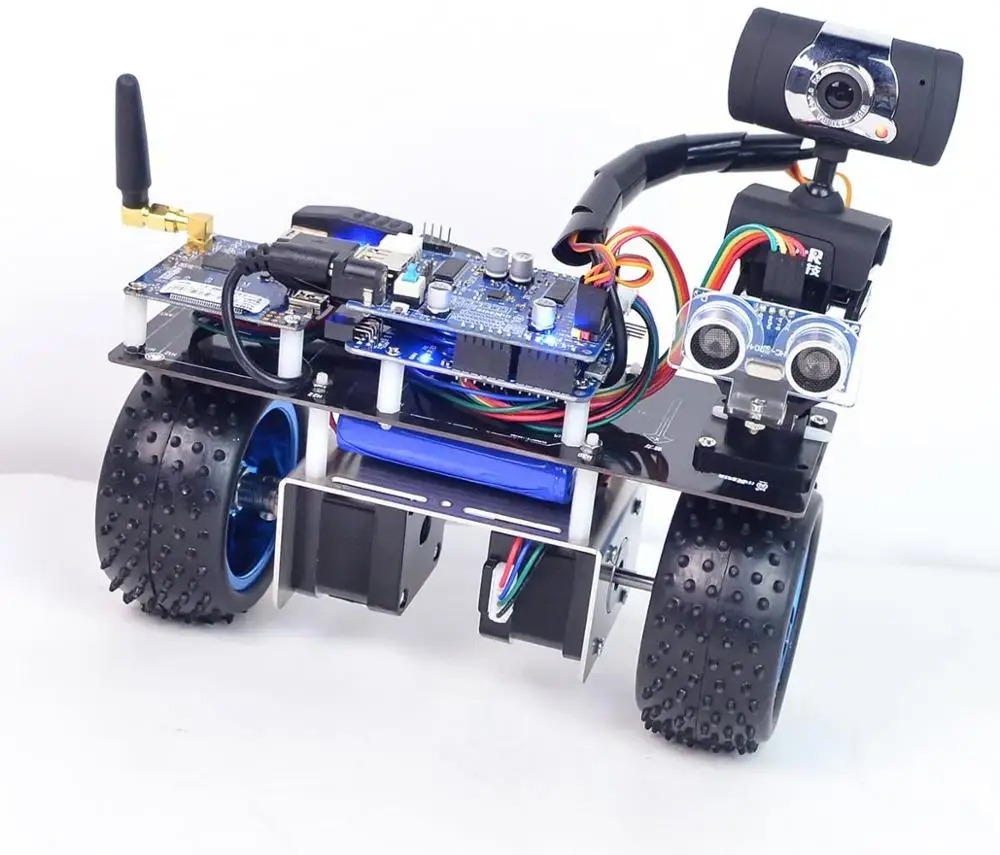
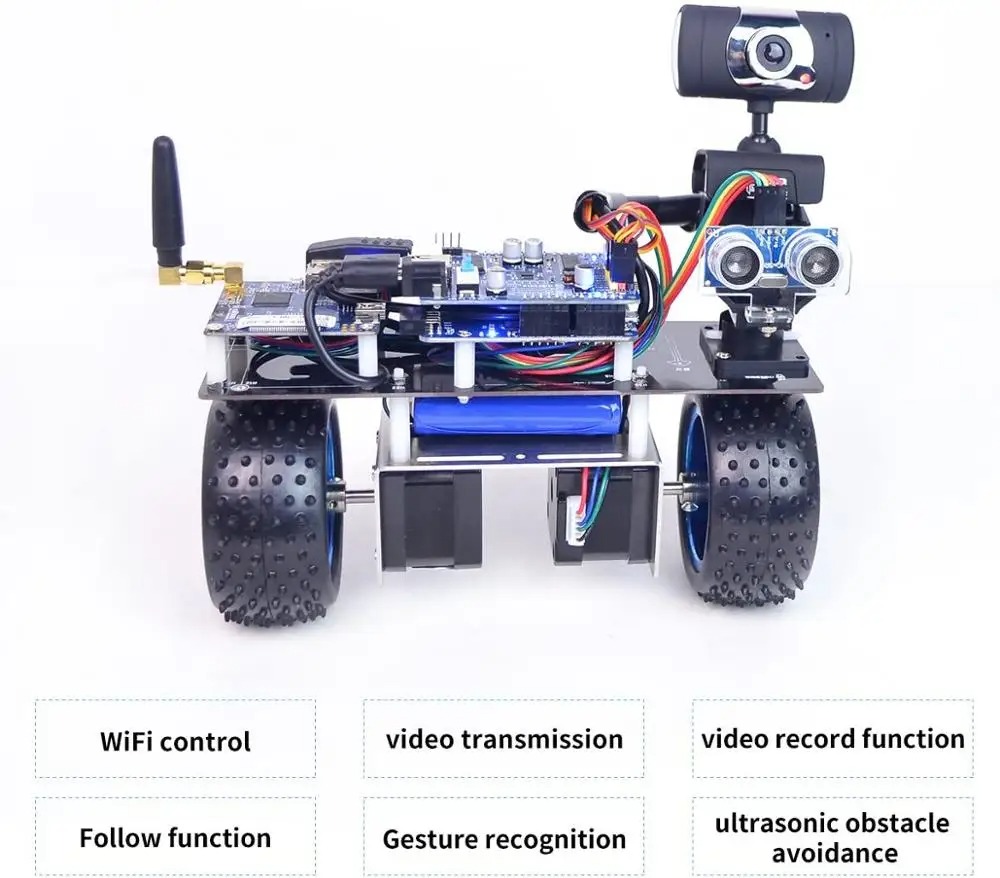
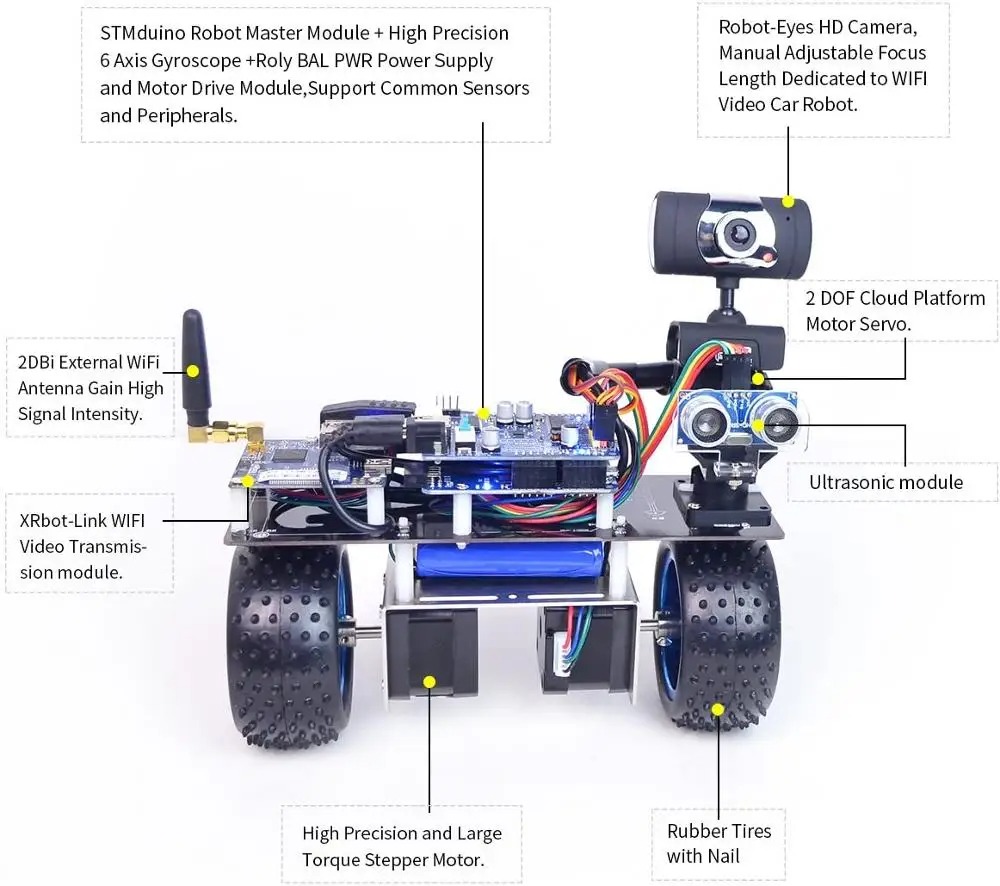
If you want more than a basic balancing robot, the WiFi Self-Balancing Robot (ESP32-Based) is one of the most future-ready options available. It combines self-balancing robotics with wireless connectivity, allowing remote control, live monitoring, and smart automation features.
Unlike older Arduino-only kits, these robots typically use the ESP32 microcontroller, which offers built-in WiFi + Bluetooth, faster processing, and more memory for advanced robotics tasks.
That makes it ideal for learners who want to explore both embedded systems and IoT in one project.
💰 Typical Price Range
$45 – $200 depending on motor quality, battery system, sensors, camera modules, and app/dashboard features.
📦 Usually Includes
✅ ESP32 development board
✅ MPU6050 or similar IMU balancing sensor
✅ Dual DC geared motors
✅ Wheels + balancing chassis
✅ Motor driver module
✅ Rechargeable battery pack
✅ Wiring + hardware kit
✅ Optional web/app control interface
⭐ Why We Selected This Kit
⭐ 5/5 Future Skill Value – Combines robotics + IoT + embedded systems
⭐ 5/5 Controller Power – ESP32 is stronger than Arduino Uno
⭐ 4/5 Expandability – Add camera, cloud logging, OTA updates
⭐ 4/5 Learning Depth – Great for advanced students and makers
⭐ 5/5 Real Project Potential – Closer to commercial smart robotics
🚀 Why It’s Useful
✅ Remote monitoring and control
✅ Supports IoT robotics projects
✅ Uses powerful ESP32 microcontrollers
✅ Ideal for advanced robotics experiments
✅ Can use web dashboards or mobile interfaces
✅ Great for learning WiFi communication
⚠️ Keep in Mind
This is more advanced than beginner kits. You may need to handle:
- WiFi setup
- App or dashboard configuration
- Firmware tuning
- Battery management
- PID balancing adjustments
That complexity creates stronger real-world skills.
🔧 My Verdict
If you want a balancing robot that teaches modern engineering skills, this is one of the smartest choices. You learn control systems, wireless networking, and embedded programming in one build.
Excellent for serious hobbyists, engineering students, and future IoT developers.
5. Advanced Self-Balancing Robot Kit with Encoders ⭐⭐⭐⭐⭐
Best for Precision Motion Control, Closed-Loop Robotics & Serious Learners
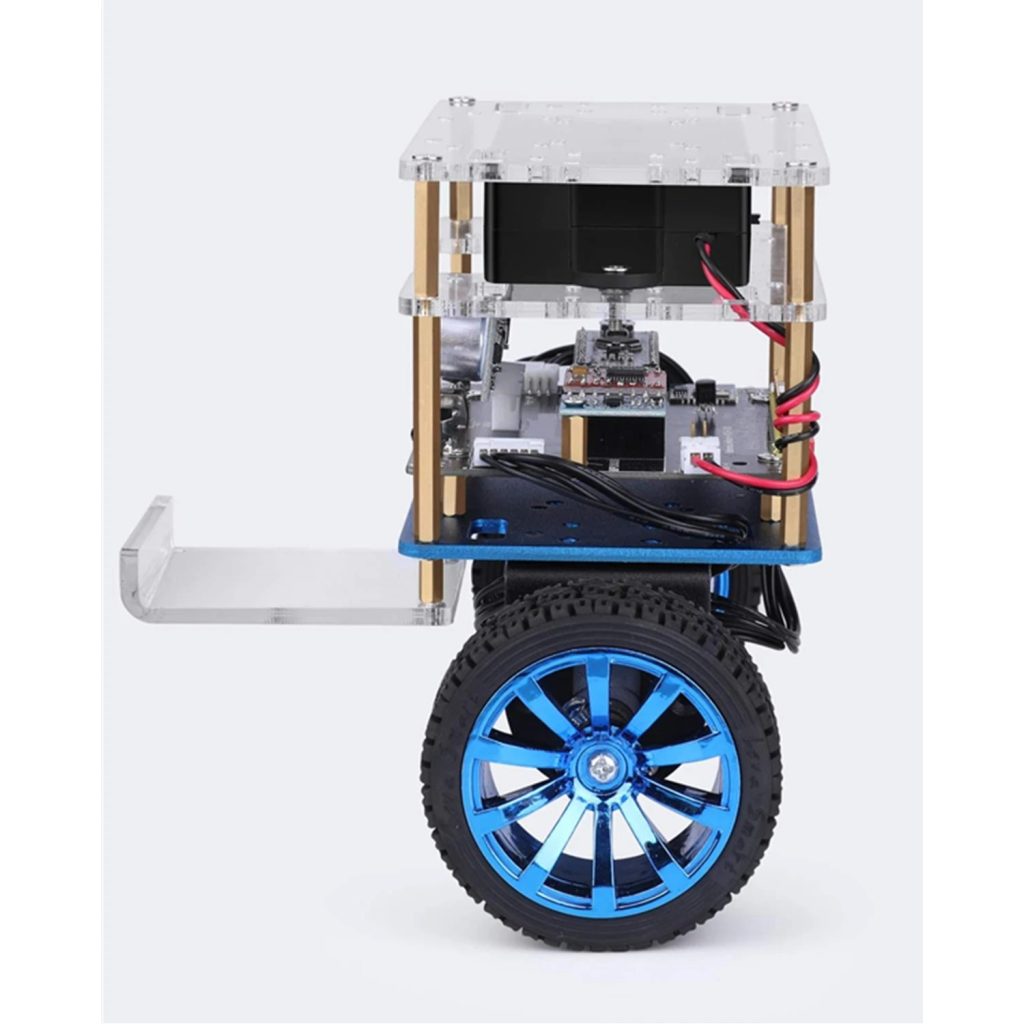
If you want to move beyond beginner robot kits and learn how professional robots achieve accurate motion control, the Advanced Self-Balancing Robot Kit with Encoders is an excellent next step.
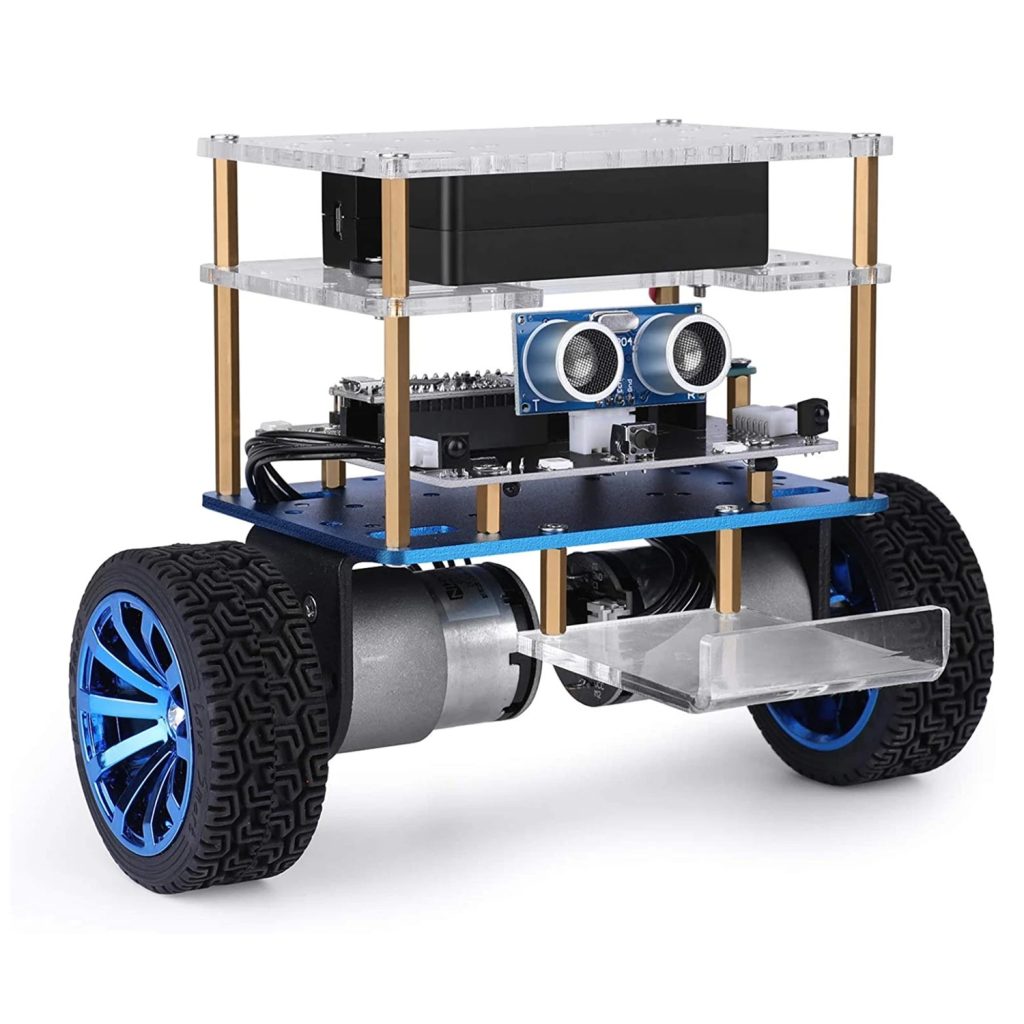
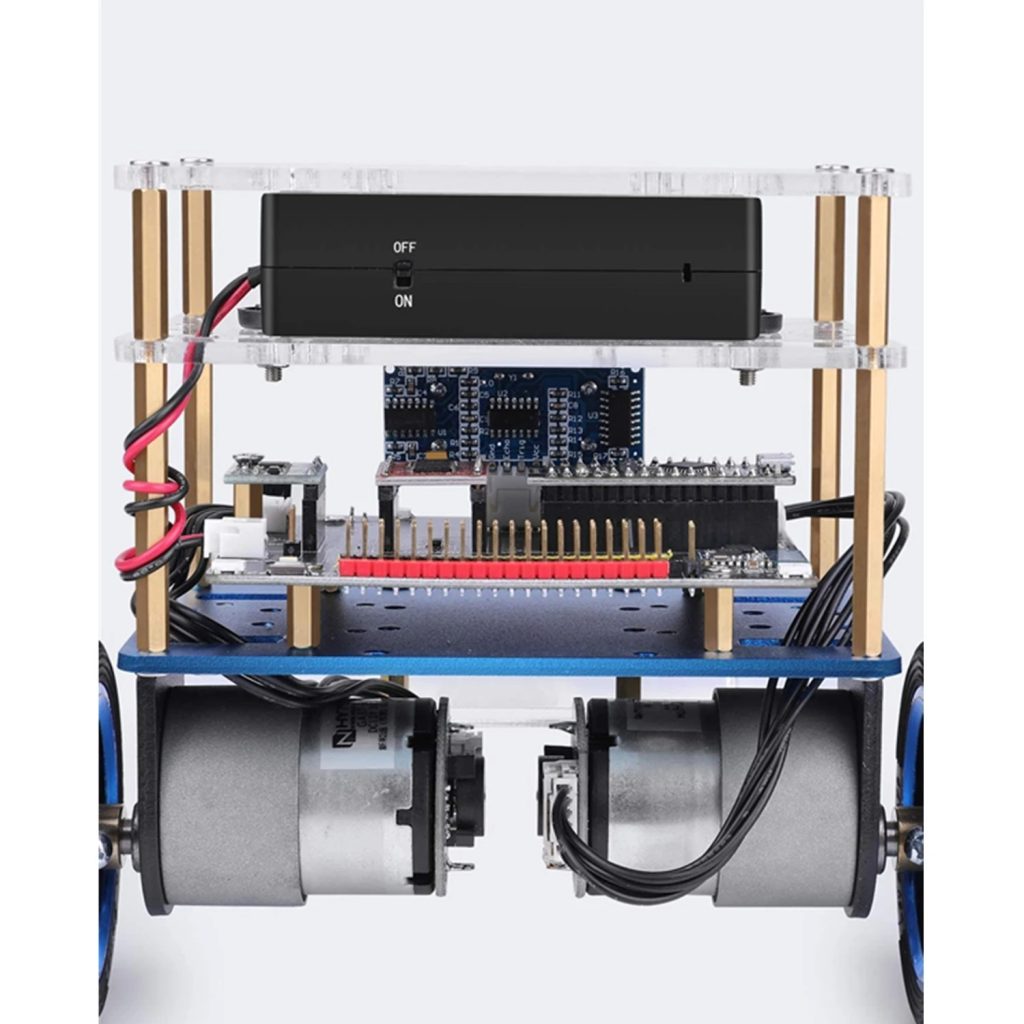
Unlike standard balancing robots, these kits include wheel encoders that measure wheel rotation, speed, and movement distance in real time. This extra feedback allows the robot to make smarter corrections, improve stability, and move more precisely.
That makes encoder-based robots ideal for engineering students, robotics enthusiasts, and anyone interested in higher-level control systems.
💰 Typical Price Range
$60 – $180 depending on motor quality, encoder resolution, controller board, battery pack, and chassis design.
📦 Usually Includes
✅ Arduino / ESP32 / STM32 compatible controller board
✅ Dual DC geared motors with encoders
✅ MPU6050 or IMU balancing sensor
✅ Wheels + reinforced balancing chassis
✅ Motor driver module
✅ Rechargeable battery pack
✅ Wiring + mounting hardware
⭐ Why We Selected This Kit
⭐ 5/5 Precision Learning Value – Teaches real feedback-based robotics
⭐ 5/5 Motion Accuracy – Better speed and position control
⭐ 5/5 Advanced Engineering Depth – Ideal for serious learners
⭐ 4/5 Upgrade Potential – Add mapping, navigation, telemetry later
⭐ 5/5 Real Robotics Architecture – Used in many practical robot systems
🚀 Why It’s Useful
✅ Improved movement accuracy
✅ Better speed control
✅ Learn closed-loop motor control
✅ Useful for advanced robotics research
✅ Enables odometry and distance tracking
✅ Improves balancing response and stability
⚠️ Keep in Mind
These kits are more advanced and may require:
- PID tuning for both balance + speed loops
- Encoder signal setup
- Better firmware structure
- More debugging than beginner kits
- Higher quality batteries for stable results
That complexity is exactly why they are valuable.
🔧 My Verdict
If you truly want to understand how real robots control movement precisely, choose an encoder-based balancing robot. It teaches a deeper level of robotics than standard kits and gives skills closer to industrial automation and autonomous systems.
Excellent for engineering students, robotics developers, and ambitious makers.
What You Can Learn from Self-Balancing Robots
Self-balancing robots are excellent projects for learning several engineering concepts.
Control Systems
Understand how feedback systems maintain stability.
Sensor Fusion
Combine accelerometer and gyroscope data.
Motor Control
Learn how to drive DC motors using motor drivers.
Embedded Programming
Develop real-time control algorithms using microcontrollers.
Who Should Build Self-Balancing Robots?
These kits are perfect for:
- Electronics hobbyists
- Robotics beginners
- Engineering students
- Embedded systems developers
- STEM education programs
They provide hands-on experience with robotics, control theory, and sensor integration.
Conclusion
Self-balancing robot kits are exciting projects that combine electronics, mechanics, and programming. They provide an excellent introduction to robotics control systems and embedded programming.
Whether you are a beginner exploring robotics or an engineering student studying control systems, building a self-balancing robot can be a rewarding learning experience.
Liked this article? Subscribe to our newsletter:
or,
Visit LabProjectsBD.com for more inspiring projects and tutorials.
Thank you!



0 Comments