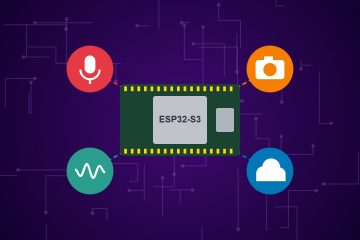
Every year, thousands of EEE, ETE and CSE students in Bangladesh search for a final-year project that is new, doable within one semester, and impressive in the viva. In 2026–27 the clear trend is Edge AI – also called TinyML – where a small microcontroller such as an ESP32-S3 or STM32 runs a trained machine-learning model directly on the board, without sending data to the cloud. This guide lists 15 practical Edge AI final year project ideas, grouped by difficulty, with the hardware, sensors and tools you need for each.
Table of Contents
What is Edge AI (TinyML), and why is it a good final-year project?
Edge AI means the “intelligent” decision – recognising a sound, detecting a fault, counting objects – is made on the device itself. TinyML is the part of Edge AI that runs on microcontrollers with only kilobytes of RAM. Google describes its LiteRT for Microcontrollers (formerly TensorFlow Lite Micro) runtime as fitting in about 16 KB on an Arm Cortex-M3, with no operating system or dynamic memory needed.
For a final-year project this is a strong choice because:
- It is current. Examiners see many “IoT + app” projects; an on-device ML model shows you understand both hardware and modern AI.
- It combines EEE and CSE skills – sensors, signal conditioning, embedded C, and a trained model.
- It works offline. Useful in Bangladesh where rural internet is unreliable – a strong point for the “social impact” chapter.
- It is affordable. Most ideas below run on a low-cost ESP32-S3 or STM32 board; no GPU is needed on the device.
If you want classic power-electronics topics instead (inverter, MPPT, stabilizer), see our earlier list: Final-Year EEE Project Ideas for Students in Bangladesh.
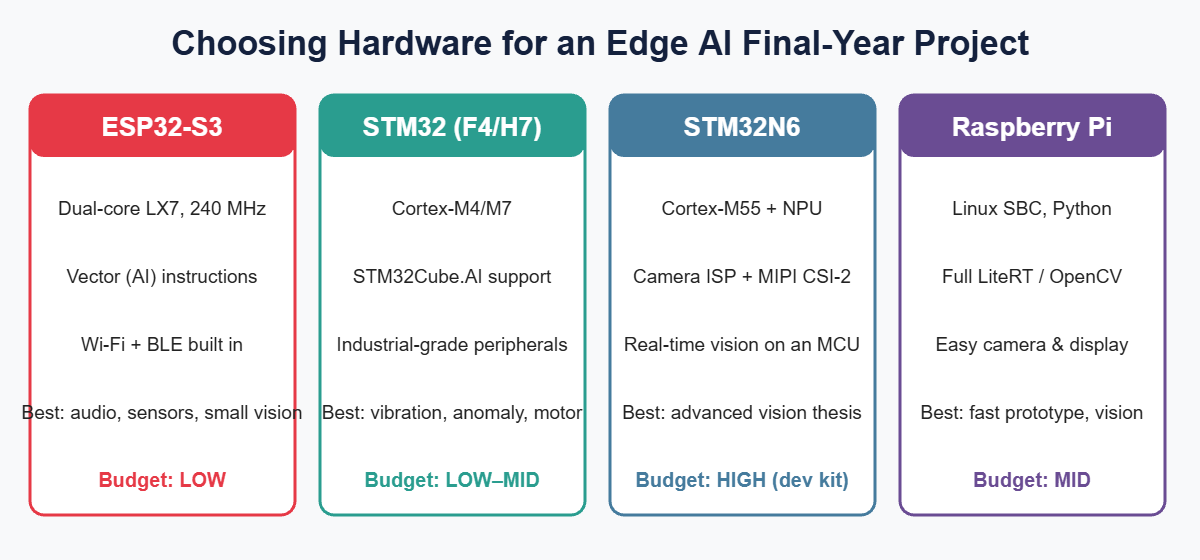
Choosing hardware for an Edge AI project
| Platform | Key AI feature | Best for | Relative cost |
|---|---|---|---|
| ESP32-S3 | Dual-core Xtensa LX7 up to 240 MHz with vector instructions for neural-network and DSP work (Espressif) | Keyword spotting, sensor classification, simple camera vision, Wi-Fi/BLE projects | Low |
| STM32F4 / STM32H7 | Cortex-M4/M7 with DSP; models converted with STM32Cube.AI / ST Edge AI | Vibration, current-signature and anomaly detection in industrial-style projects | Low–Medium |
| STM32N6 | Cortex-M55 at 800 MHz plus ST’s Neural-ART NPU rated up to 600 GOPS, with camera ISP (ST) | Advanced real-time vision on a microcontroller | High (dev kit) |
| Raspberry Pi | Linux + Python, full LiteRT / OpenCV | Fast prototypes, heavier vision models, thesis demos | Medium |
Practical advice: if you are new to embedded AI, start with an ESP32-S3 or an STM32F4 board you already know. Choose the STM32N6 only if your supervisor wants advanced vision and you have time to learn a new toolchain.
The 6-step TinyML workflow
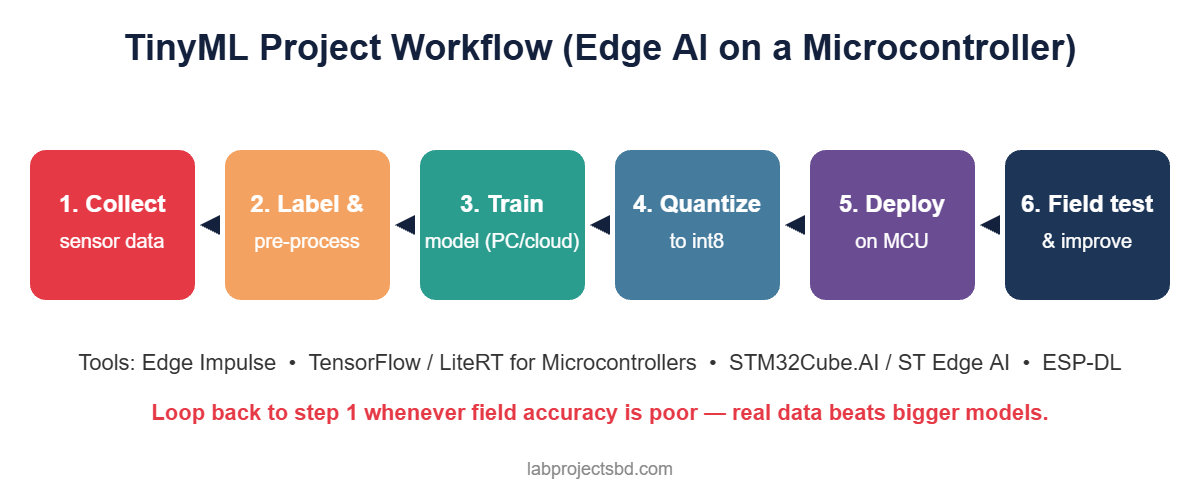
- Collect data from your real sensor (microphone, accelerometer, current sensor, camera). At least a few hundred samples per class.
- Label and pre-process – e.g. FFT or MFCC features for audio and vibration.
- Train a small model on your PC or in the cloud. Edge Impulse has a free developer plan and is the fastest way for students.
- Quantize to int8 so it fits in flash and RAM.
- Deploy using LiteRT for Microcontrollers, STM32Cube.AI or Espressif ESP-DL.
- Field test and record accuracy, latency (ms) and power (mA) – these three numbers make your results chapter.
Beginner Edge AI final year project ideas
| # | Project | Sensor / input | Board | What the model does |
|---|---|---|---|---|
| 1 | Voice-controlled home switch (Bangla keywords) | I²S MEMS microphone | ESP32-S3 | Recognises 3–5 spoken words like “light on” and drives a relay |
| 2 | Smart gesture remote | 3-axis accelerometer (MPU6050) | ESP32 / STM32F4 | Classifies wrist gestures to control a fan or presentation |
| 3 | Baby-cry / doorbell sound alert | Microphone | ESP32-S3 | Detects specific sounds and sends a phone notification |
| 4 | Smart dustbin with waste type sorting | Low-res camera module | ESP32-S3 camera board | Classifies plastic / paper / other and opens the right lid |
| 5 | Posture monitor for students | IMU on a belt clip | ESP32-C3 / S3 | Detects bad sitting posture and vibrates a reminder |
Intermediate Edge AI project ideas
| # | Project | Sensor / input | Board | What the model does |
|---|---|---|---|---|
| 6 | Motor / pump fault detector | Accelerometer + CT sensor | STM32F4 / ESP32-S3 | Classifies normal, imbalance, bearing wear, dry-run |
| 7 | IPS / battery health predictor | Voltage, current, temperature | STM32 | Estimates battery state-of-health from charge/discharge curves |
| 8 | Transformer / line arcing detector | Current transformer + microphone | STM32F4 | Recognises arcing or partial-discharge signatures |
| 9 | Paddy leaf disease detector | Camera | ESP32-S3 / Raspberry Pi | Identifies common rice-leaf diseases for farmers – works offline |
| 10 | Smart energy meter with appliance recognition (NILM) | Single CT on the main line | ESP32-S3 | Identifies which appliance is ON from the current waveform |
Idea 6 and 7 suit students who like power electronics – they reuse knowledge from our guides on why IPS batteries die fast and automatic water-pump control.
Advanced Edge AI project ideas
| # | Project | Sensor / input | Board | What the model does |
|---|---|---|---|---|
| 11 | Helmet-detection camera for bikes / construction sites | Camera | STM32N6 / Raspberry Pi | Detects people without helmets in real time |
| 12 | Smart traffic counter for Dhaka junctions | Camera | Raspberry Pi / STM32N6 | Counts rickshaws, cars, buses per lane and logs to cloud |
| 13 | Predictive maintenance node for factories (LoRa) | Vibration + temperature | STM32 + LoRa | Anomaly detection with battery life of months |
| 14 | Fish-pond water quality predictor | pH, DO, temperature, TDS | ESP32-S3 | Predicts low-oxygen risk hours ahead and starts the aerator |
| 15 | Solar panel fault / dust detector | Panel V/I + light sensor + camera | ESP32-S3 | Detects shading, dust or a failed string from I-V behaviour |
- Battery backup time calculator – size the battery for a field sensor node
- Wire size & voltage drop calculator – for long sensor and power cables
- Ohm’s law & power calculator
Worked example: TinyML motor fault detector
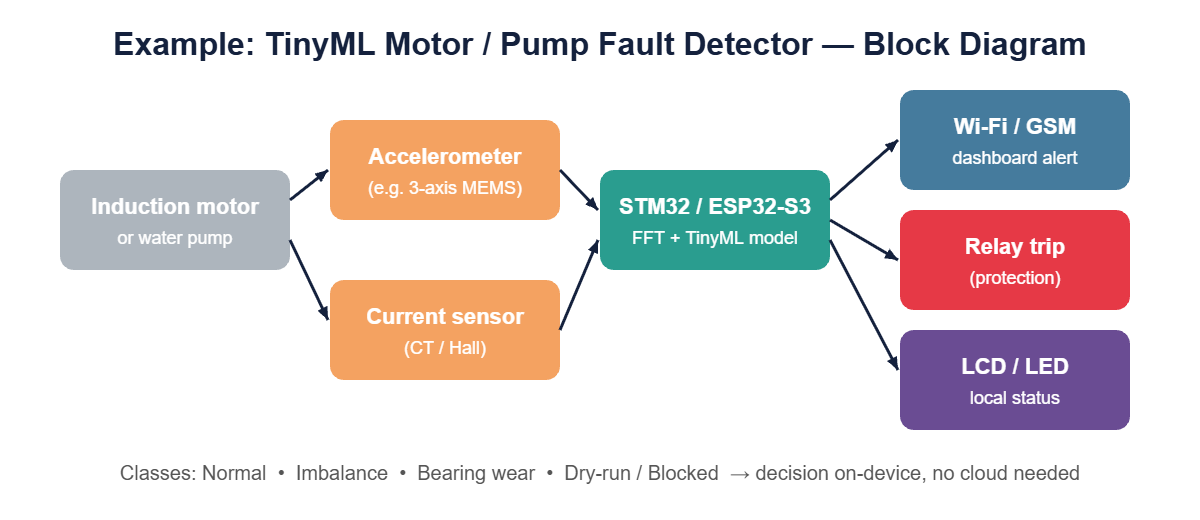
This is one of the best “real industry” Edge AI final year projects because factories, water pumps and generators everywhere need it.
- Hardware: STM32F4 or ESP32-S3, 3-axis MEMS accelerometer mounted on the motor body, a CT or Hall current sensor, relay output, small LCD, and Wi-Fi or GSM for alerts.
- Data: record 2–3 seconds of vibration at a fixed sample rate for each condition – normal, added imbalance weight, loose mounting, and a dry-running pump.
- Features: FFT spectrum plus RMS current. These are small enough to process on the MCU in real time.
- Model: a small dense neural network or an anomaly-detection model, quantized to int8.
- Output: show status on the LCD, trip the relay for a severe fault, and send an alert to a dashboard.
- Results to report: confusion matrix, accuracy on unseen data, inference time in milliseconds, and current consumption.
For a better hardware chapter, our posts on testing components with a multimeter, troubleshooting a dead circuit board and spotting fake components will save you time during the build. You can also see how we build real data loggers in our 4-channel LVDT, load cell and PT100 logger case study.
Tips for a strong report and viva
- Collect your own dataset. A dataset recorded from your own hardware is worth more marks than a downloaded one.
- Show numbers, not only a demo: accuracy, latency, RAM/flash use and power.
- Compare against a non-AI method (e.g. a simple threshold) to prove the model adds value.
- Explain quantization – why int8 reduces memory and what accuracy you lost.
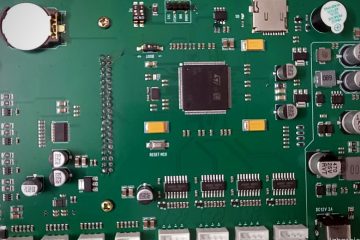
- Keep the hardware neat – a proper PCB and enclosure impress examiners far more than a breadboard.
- Be ready for “why not cloud?” – answer with privacy, latency, offline operation and data cost.
Frequently asked questions
Do I need a GPU or powerful laptop for TinyML?
No. The models are small, so training usually takes minutes on a normal laptop or on a free cloud tool like Edge Impulse. The microcontroller only runs the trained model.
Which is better for students: ESP32-S3 or STM32?
ESP32-S3 is better if you need Wi-Fi/Bluetooth and audio or camera input. STM32 is better for industrial signals (vibration, current, motor control) and gives you stronger embedded C experience for job interviews.
Can I do an Edge AI project with Arduino?
Classic 8-bit Arduino boards (ATmega328) are too small. LiteRT for Microcontrollers needs a 32-bit processor, so use an ESP32, an STM32 or a 32-bit Arduino-compatible board.
Is Edge AI suitable for EEE students or only CSE?
It suits both. EEE students can focus on sensors, signal conditioning and power-system applications (ideas 6–8, 10, 15); CSE students can focus on the model and data pipeline.
Need help building your Edge AI final-year project? We design custom PCBs, firmware and complete working prototypes for students and companies. Message us on WhatsApp or use the contact form. You can write in Bangla or English.



0 Comments